If you ever wished you could google your own worldbuilding, this is for you.

Skip to product information
1 of 9

What if finding the right detail took five seconds instead of five minutes?

The Story Stride Novel Dashboard

The Story Stride Novel Dashboard

A loyal sidekick to your project, so you can quickly look up lore, keep your story consistent, and plot a binge-worthy novel.

Regular price £6.00 GBP
Regular price Sale price £6.00 GBP
Sale Sold out
Taxes included.

The novel writing dashboard that keeps your writing flowing. 

You’re in the zone. Your fingers fly across your keyboard, and the words flow  when your brain trips like it caught its toe on a crack in the sidewalk.

Wait. What magic does Winnie the Mage use again?

You pause to look it up, but you’re a writer. Your notes are loooong. 

By the time you find that one detail, you've lost your creative flow. So, next time you forget a detail, you don’t bother to look it up. You just keep going, and it’s only when editing that you realize, shit. 

Plot holes.

So, we decided to do something about it.


Introducing The Story Stride Novel Dashboard

A loyal sidekick to your project, available as a beautiful Google Sheet that you can use on any device (but we recommend tablet screens and larger for the full effect) .

📖 Carefully and thoughtfully designed templates, so you can quickly find the information you need about your worldbuilding, characters, and plot without losing your creative flow.

📖 Add details about your world and characters in seconds, so you never forget if the mage uses blood magic or bioelectricity.

📖 Plot a story that hits the right beats at the right time for a book that’s more addictive than freshly ground artisanal coffee.

📖 Record the arcs for every main character all in one place to make sure their development is consistent and logical.

📖 Use on any device with a beautiful Google Sheets format (seriously, you've never seen a spreadsheet look this good). We've included tips and tricks if you're not super familiar with spreadsheets.

📖 Keep your reminders and notes in one place with a handy overview page for all your project details.

📖 These cheat sheets are quick references. Rather than replace your full project bible, they work with it to help you remember key details to avoid the dreaded major plot holes that derail your entire novel.

  • 16K writers helped
  • Instant download
  • Use on any device

Your fantasy and sci-fi writing sidekick

Find the story details you need quickly with digital cheat sheets. No more introducing inconsistencies or avoidable plot holes.

Keep your characters consistent and make sure their arcs drive the narrative with in-depth summaries of your main characters.

Beautiful and scannable summaries of your lore

Cheat sheets for every part of your story, so you avoid introducing
inaccuracies and plot holes.

This fantasy and sci-fi novel writing resource covers:

  • Locations
  • Cultures
  • Technologies
  • Religions
  • Magic systems
  • Historical timelines
  • Species
  • Characters and relationships
  • Plot

You also get progress and word count trackers and a project overview with space for reminders.

Instant access

It only takes 20 seconds to get up and running.

After purchase, you'll receive a PDF with three simple steps on how to load the Dashboard into your Google Sheets account.

View full details
A person using The Story Stride Novel Dashboard on a laptop.

You’re in the flow, your fingers flying across the keyboard when...

Bam! You don’t remember how Winnie the Mage casts her spells.

You glance at your second screen or take one hand off the keys and pull up your Dashboard. In under twenty seconds, you see the answer.

You keep writing, keeping your scene consistent, and it only took moments.
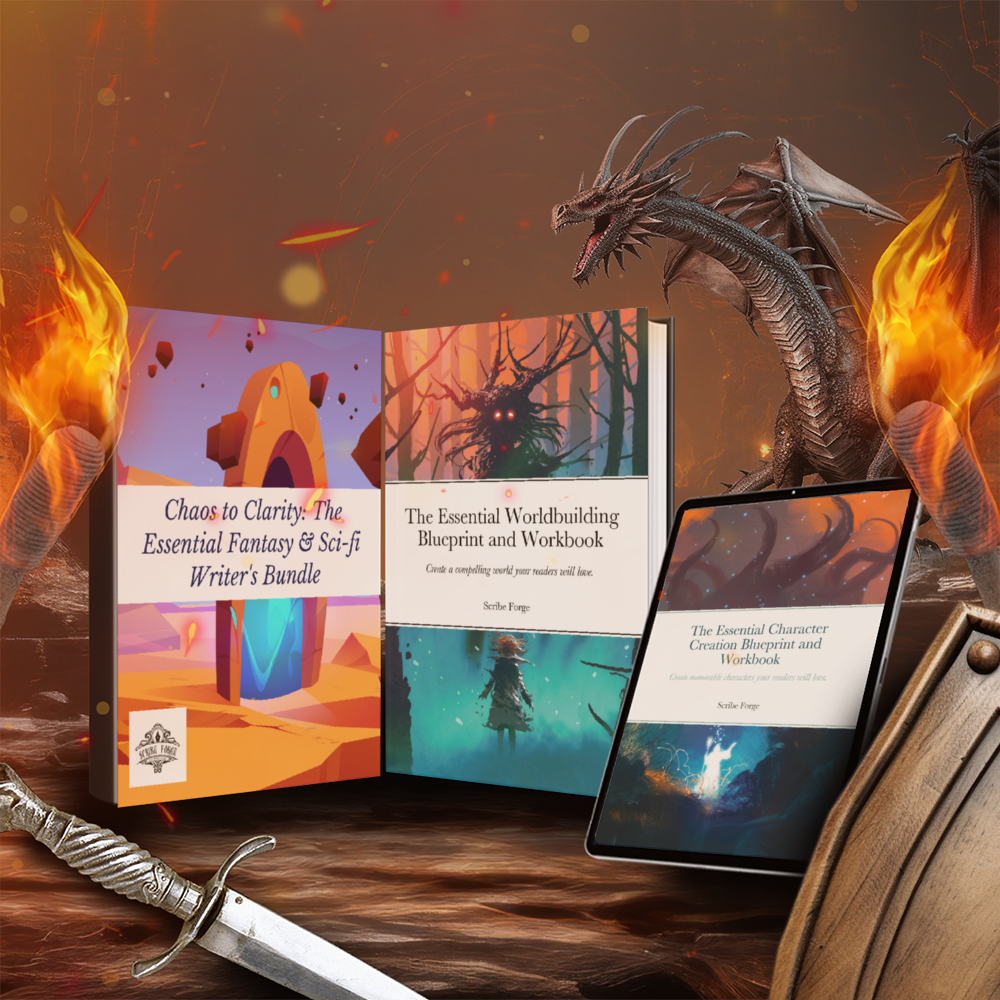
Covers of The Essential Worldbuilding Blueprint, Essential Character creation Blueprint, and the Chaos to Clarity bundle.

The perfect companion to The Essential workbooks

The Essential workbooks help you delve deep into your world and characters and also explains the elements of the plot outline tool.

The Novel Dashboard helps you find the most important details quickly and easily without losing your creative flow or your mind.

Created by USA Today Bestselling authors.

We're a team of neurodivergent authors and editors who found that a lot of writing advice just didn't work for our brains. The commonly taught techniques left us overwhelmed and stuck.

Fed up, we compiled our years of experience to create frameworks, writing templates, and worksheets that actually worked with our busy, loud, often inconsistent minds.

These writing resources eliminate distractions, make organization easy, and focus on clear steps that lead to finished, binge-worthy novels rather than another set of notes you forget about.

Together, we've collectively published more than 50 novels.

The cover of the Story Stride: Quick Reference Cheat Sheets - Print.

Want a physical version instead?

We have a print-at-home format and a hardcopy format that we print for you.

FAQ

How do I keep track of my story's lore and characters?

The Story Stride Novel Dashboard puts all your novel's complex world and character details in scannable charts that make it easy to find info quickly.

If, like us, you tend to forget anything that's out of sight, the Dashboard will help keep your most important story details right where you can see them.

What do I get when I buy the digital Novel Dashboard?

You'll receive a PDF with a link to a Google Sheet template that has handy cheat sheets for every part of your novel.

The PDF will also include instructions for getting set up in under a minute.

What program do I use with the Novel Dashboard?

It's a Google Sheet, so you can use it on any device without having to pay for software subscriptions.

You can also download it and open it in Excel, but it loses some formatting and functionality. So, we only recommend this route as a way to save backups or if you know enough about Excel to clean up the formatting.

What if I don't know how to use Google Sheets?

You don't need to be an expert to use the Dashboard! Everything is already set up for you, so all you need to do is click and type.

We've also included tips, tricks, and instructions for the most common tasks.

What if I run into tech problems or lose my download?

If you have tech issues: Just shoot us an email and we'll help: info@scribeforge.ink. We answer all messages within 24 hours.

If you need a new version of your files: If you purchased your workbooks after November 28, 2025, you can find them by clicking the account button at the top of our site and entering your email address. No password is required.

If you placed your order before November 28, 2025, email us at info@scribeforge.ink. We'll send you a fresh copy of your purchase within 24 hours.